How to build a custom consent form for GDPR/privacy compliance
Create a GDPR-compliant consent form that collects and manages user permissions with clear options, timestamps, and automated records.

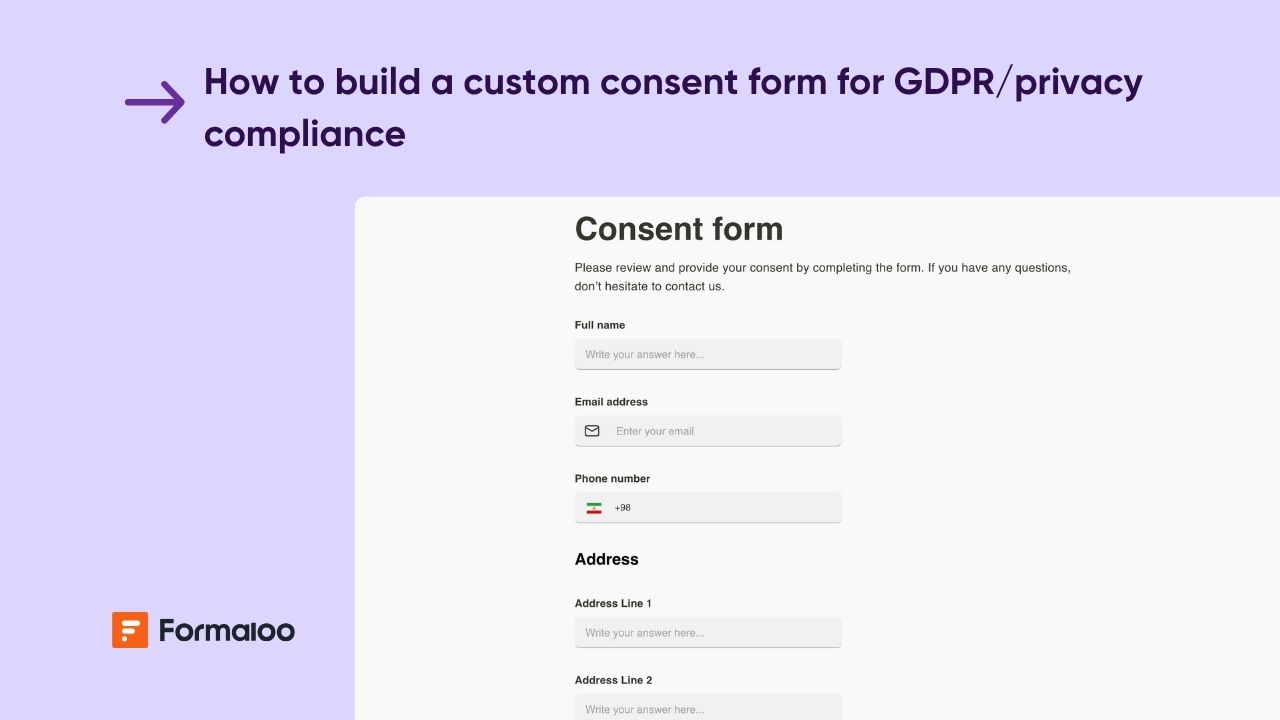
Collect consent transparently and stay compliant
In this guide, you’ll build a Custom GDPR Consent Form that allows users to control what data they share, and how it’s used.
You’ll use multiple-choice fields, clear consent categories, and logic-based confirmations, plus automated timestamping for full compliance tracking.
📘 Learn more: Create your first form, app, or portal in a flash
Step 1: Create your consent form
From your workspace, click + New → Form, or select a Consent template from the gallery.
You can also use Magic Create, try this prompt:
“GDPR consent form with data usage options, timestamp tracking, and withdrawal request section.”
Add the following essential fields:
- Full name
- Email address
- Purpose of consent (checkboxes for categories like Marketing, Research, Product updates, etc.)
- Description of how data will be used (Content field)
- Consent confirmation (Yes/No toggle)
- Consent date (auto-filled with current date/time)
- Withdrawal request (optional, text or checkbox)
💡 Tip: Add a short Privacy Summary block at the top explaining why you’re collecting this information and linking to your privacy policy.
📘 Learn more: How to create a form
📘 Learn more: How to customize text in your form
Step 2: Make your form clear and transparent
Add a Content field at the beginning that outlines:
- What data you collect
- Why you collect it
- How long you keep it
- Who to contact for data removal
Keep it short, readable, and link to your Privacy Policy or Terms of Use.
💡 Use friendly, non-legal language while still being explicit about user rights.
📘 Learn more: How to customize the content field
Step 3: Categorize data permissions clearly
Add a Multiple choice field labeled “I consent to the following uses of my data.”
Include clear, separate options such as:
- Receive marketing emails
- Participate in product feedback surveys
- Share anonymized data for analytics
- Store my information for account creation
Set this field to “Select multiple options.”
💡 Tip: Keep each purpose distinct, bundled consent is not GDPR-compliant.
📘 Learn more: Form editor and field types
Step 4: Add conditional logic for consent details
Use Show/Hide logic to collect more information depending on selected consent types.
Examples:
- If @consent includes “Marketing emails” → show “Preferred contact channel.”
- If @consent includes “Research participation” → show “Age group” or “Location.”
💡 This ensures only relevant information is collected and avoids unnecessary data processing.
📘 Learn more: How to add basic conditional logic
Step 5: Timestamp every consent submission
Add a Admin-only date field named “Consent timestamp” and set it to auto-fill the current submission date and time.
This serves as proof of consent for audits or records.
Step 7: Automate confirmation emails
Create a custom email template to confirm consent actions.
Example (Consent confirmation):
Subject: Your consent preferences are saved
Hi @name,
Thank you for confirming your preferences.
You can review or update your consent anytime using this link: [your withdrawal form URL].
— The Privacy Team
📘 Learn more: How to create and send custom email templates
Step 8: Build your compliance dashboard
In Results → Dashboard, create visualizations to track user consents.
Add:
- Table view: All respondents with consent types and timestamps
- Kanban board: Requests grouped by consent status
📘 Learn more: How to showcase charts based on form responses
📘 Learn more: How to create a Kanban board
Step 9: Build a secure privacy portal
Turn your setup into a Privacy & Consent Management Portal where users can view, update, or withdraw consent.
Add pages for:
- Submit consent form — main form
- Withdraw consent — connected form
- My data permissions — filtered view showing user consents
- Privacy policy — embedded content page
Enable Login/Sign-up so each user can manage their own consent record securely.
📘 Learn more: How to create and assign user roles in your portal
📘 Learn more: How to let users view and edit their own data in your portal
Step 10: Sync and archive consents automatically
For backup or reporting, connect your project to Google Sheets or your CRM to log each submission automatically.
You can also generate PDFs for regulatory audits.
📘 Learn more: How to set up two-way sync between Formaloo and Google Sheets
📘 Learn more: How to create PDF templates to turn responses into documents
Pro tips
- Enable autosave: Allow users to save and review their consent selections before submission.
📘 Learn more: How to auto save incomplete responses and let users resume later - Add AI Smart Content: Summarize each user’s consent choices for admin visibility.
📘 Learn more: Create dynamic ending pages with AI Smart Content - Use memory forms: Automatically prefill returning users’ previous consents for easier updates.
📘 Learn more: What are memory forms
Example scenario
A user visits your website and submits consent for marketing emails and product updates.
Formaloo timestamps the submission and sends a confirmation email automatically.
Months later, the same user submits a withdrawal form — their record updates instantly, triggering a follow-up confirmation and updating your dashboard to “Withdrawn.”
📘 Learn more: Build personalized and time-saving flows with logic, automations, and AI
FAQ
1. Can I handle multiple jurisdictions (e.g., GDPR and CCPA)?
Yes. Add a country selector and use logic to show region-specific consent text or fields only when relevant.
❓ Learn more: Show or hide questions based on previous answers
2. Can users change their preferences later?
Absolutely. Enable login and let users edit their own submissions or submit a new consent update via your privacy portal.
🔒 Learn more: How to let users view and edit their own data in your portal
3. Is the data stored securely in Formaloo?
Yes. Formaloo uses encrypted storage and is GDPR-compliant across all plans.
🛠️ Learn more: What is Formaloo?
Your consent management system is live
You’ve built a complete GDPR-compliant consent form with full transparency, traceability, and automation.
Next, expand it into a Privacy Management Portal that includes DSAR requests, preference centers, and compliance dashboards.
📘 Learn more: How to customize your portal with your brand identity
Last updated November 2025

.jpg)

.jpg)