New logic actions, smarter capacity limits, and 100+ improvements
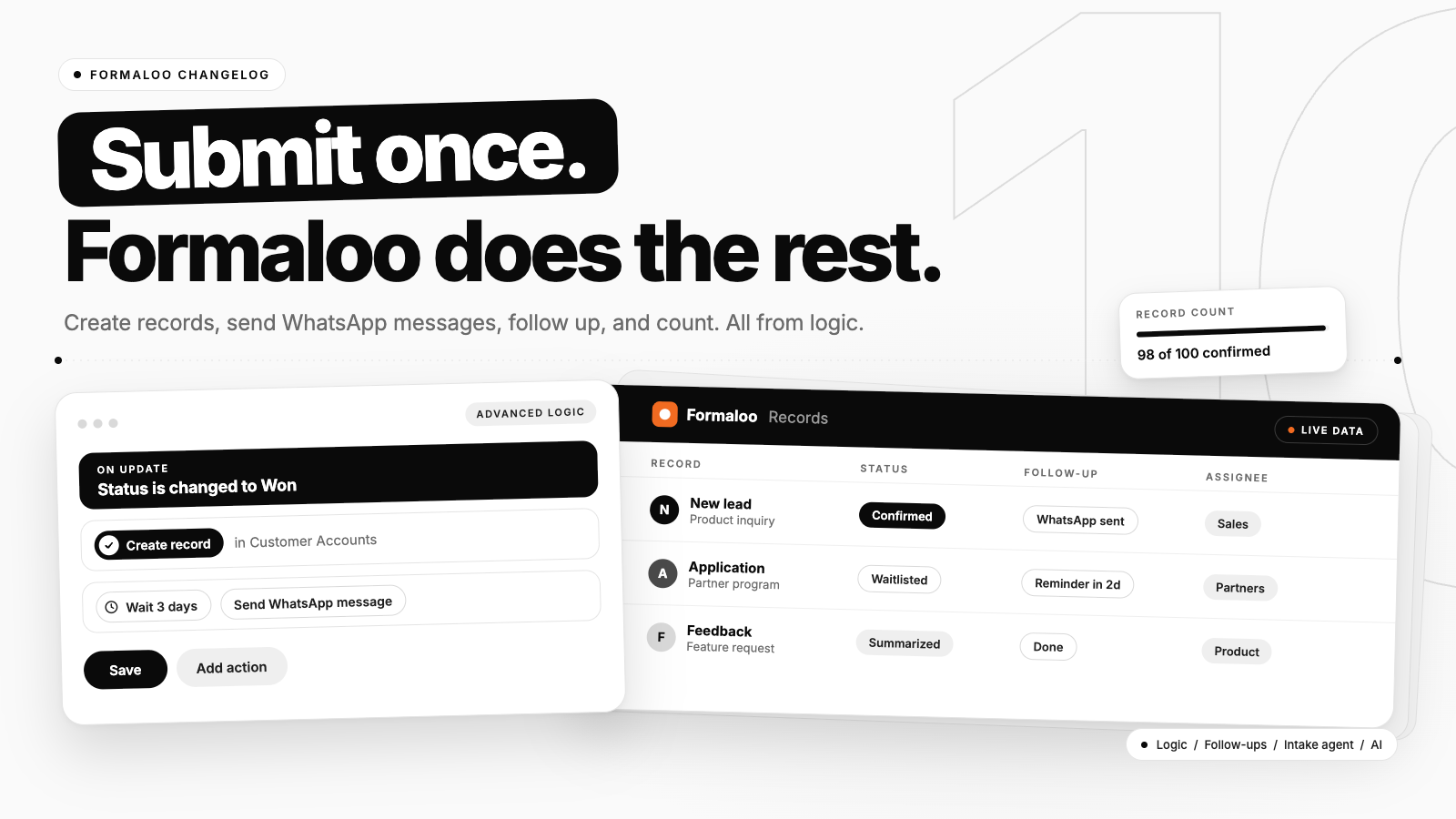
Until now, logic worked only on the form it lives in. When a submission needed to reach another form, someone copied the details by hand. When someone needed a WhatsApp message, someone sent it.
Now logic can create and update records in other forms and send WhatsApp messages. It can also count records before it decides, which makes capacity limits and waitlists possible. And the editor got the controls you asked for: embed styling, field IDs, mobile preview, and form fields by name in your email and PDF templates.
9 updates. Here they are.
New logic actions: Create record, Update record, and Send WhatsApp message
Logic used to work only on the form it lives in. You can now add three actions to On Submit and On Update rules.
Create record adds a record to any other form. Update record finds records in another form with a filter and changes their values. Send WhatsApp message sends one of your approved templates to a phone number from the form.
Example: when a lead's Status changes to Won, Create record adds a new account in your Customer Accounts form. When an applicant's Status changes to Accepted, they get a WhatsApp message right away. Before, the first was copy-paste and the second needed a campaign.
What changes:
- Create record fills the fields you pick in the destination form, with values from the submitted form or text you type.
- Update record always needs a filter, so it can't change every record in a form by accident.
- Update record can change all matching records or a limited number, sorted by the field you choose.
- Send WhatsApp message fills your template variables with answers from the form.
- You need access to both forms to edit the rule.
Guides: create and update records in other forms with logic and send automatic WhatsApp messages
Smart conditional capacity limits: Record count
A max responses limit closes the whole form. A reservation limit hides a full option. Neither can say "the first 100 are confirmed, everyone after that is waitlisted." Record count can.
It's a new condition in your logic that counts records and compares the number to a threshold. Count the current form or another form in the same workspace. Count all records or only those matching a filter.
Example: if fewer than 100 records have Status Confirmed, set the new one to Confirmed. Otherwise set it to Waitlisted. Pair it with Update record, and when someone cancels, the oldest waitlisted record moves up.
What changes:
- Record count works in On Submit and On Update rules, not field logic.
- On Submit counts records that already exist, not the one being submitted. To cap at 2, use "is less than 2".
- Filters combine with AND.
Guide: add a Record count condition to your logic
Turn off AI on a workspace
This is an Enterprise feature. Some companies need AI off, completely. Workspace admins can now turn off every AI feature for a workspace.
Example: a compliance team requires that no AI touches their data. An admin switches AI off, and nothing AI-related runs in that workspace.
What changes:
- The setting applies to one workspace.
- AI you already set up stays in place and stops running.
Embeddable forms: preview and configuration
An embedded form should look like part of your website. The embed Options panel now gives you more control over how it looks.
Example: your page has a colored background. Turn on the transparent background and the form blends in instead of sitting in a white box.
What changes:
- New transparent background option.
- New padding control for fields in the Options panel.
- Script embeds with a set height show the top of the form in full.
- The extra empty space below the form in script embeds is gone.
Guide: embed a form into your website
Automatic ID generation for fields
Piping and Formaloo MCP point at fields by ID. Fields you add by hand had no ID, so you named each one yourself. Now Formaloo generates them.
Example: you built a 30-field form by hand. Open the AI menu, click Generate missing IDs, and every field gets one.
What changes:
- A Generate icon in a field's Field ID section creates an ID for that field.
- Generate missing IDs in the AI menu does the whole form. Click Save afterward.
- IDs come from the field's title and are unique within the form.
- Fields that already have an ID are never changed, so existing piping keeps working.
Guide: automatically generate field IDs
Mobile preview in the form editor
Most respondents fill your form on a phone. You can now check that without leaving the editor. Switch between desktop and mobile view while you build.
What changes:
- A desktop and mobile view toggle in the form editor.
Guide: preview your form on mobile
Open "Edit record" from emails, PDFs, and AI
You can now put a link to a specific record in an email, a PDF, or an AI screen.
Data blocks have an ID, with a copy icon. In the answer piping menu, @openrow(ID) takes that data block's ID. The link opens the record on that page and block of your project.
Example: email a reviewer "Review this application" with a link that opens that application's record.
What changes:
- Each data block shows its ID with a copy icon.
- The answer piping menu includes
@openrow(ID). - It works in emails, PDFs, and AI screens.
Guides: use answer piping and supported variables for answer piping
Form fields in the answer piping menu of the Email and PDF template editor
Personalizing an email or PDF meant typing a field's internal ID. One wrong character and the personalization broke.
The piping menu in the template editor now lists your form fields by name. Pick one and Formaloo inserts it.
What changes:
- Form fields appear by name in the piping dropdown.
- The "Switch field source?" pop-up and the field-mismatch hint bar are gone from the template editor.
Guides: custom email templates, PDF templates, answer piping, and supported variables for answer piping
Faster verification and OTP emails
We updated how verification and OTP emails are sent. They now reach your inbox faster.
Improvements across the product
Alongside the 9 updates above, we shipped more than 100 smaller improvements. Here's where they landed and what they changed.
- Logic, 35+ improvements. The new actions and Record count conditions needed polish to be easy to use every day. Conditions have clearer labels and filters, the Logic sidebar collapses properly, you can duplicate a rule instead of rebuilding it, and Create record and Update record explain it when you don't have access to the destination form instead of showing blank fields.
- MCP and CLI, 25+ improvements. More teams are building forms from Claude, ChatGPT, and Cursor, so we closed the gaps they hit. Connecting Formaloo MCP now completes after sign-in and stays connected on long tasks. Logic rules created through MCP save complete, including Create record, Update record, and WhatsApp. MCP can also set default values on choice fields, pick Unsplash images, add AI content to ending pages, and sort your forms list correctly.
- Workspace access and permissions, 15+ improvements. Larger teams need clear boundaries. Members no longer see admin-only pages like Integrations and the upgrade menu. Someone without project access sees an access-denied message instead of an endless spinner. Managers get Share & Access Management on a project. Invite links add people to the workspace as expected, and switching between workspaces is faster.
- Portals, login codes, and user directories, about 10 improvements. Portal login and sign-up are more reliable, so your members get in on the first try.
- Embeds, 8 improvements. Small things that showed up on real websites. The embed height field keeps its value, and the Continue button works on mobile.
- Onboarding, 8 improvements. The first few minutes matter most. Creating your first form or project no longer hangs on loading, new workspaces are named after you instead of your email address, and Magic Create shows up in empty folders.
And a few more you may notice: PDF timestamps follow your workspace timezone, table headers are customizable, search and filter show the response count, and "row" is now "record" everywhere.
Bring us the business problem and we'll help you map it to a workflow. Book a discovery call
We ship every week. Follow our changelog to stay up to date.