Logic can now update your data, and a lot more shipped this cycle

This release is headlined by a new Logic action that writes back to your records. Beyond that, A major new Logic action, a smarter project setup experience, a rebuilt data blocks layer, and over a dozen fixes that have been on the list for too long. Here's everything.
Update Record, now an action in Logic

Logic in Formaloo has always let you control what users see; show a field, skip a page, route to an outcome. Now it can act on your data too.
The new Update Record action is available on both OnSubmit and OnUpdate triggers. When your conditions are met, Formaloo can automatically write back to a record, updating a Lookup field, a Linked row, or a User profile field, without any external automation tool. See how you can update records across forms using logic in Formaloo.
Here's a real example of what this unlocks:
On update: If Task 1 is Done and Task 2 is Done → Update record → User profile → Role → Manager
No Zapier. No Make. Just your logic, acting on your data.
A few things worth knowing: Update Record can't be nested or looped, we disable those paths to prevent broken flows. There's also a limit on how many row updates a single record can trigger. This action is available on Pro plans and above.
Lead Enrichment to turn an email into a full profile
Formaloo can now automatically enrich form responses the moment they come in.
Enable Lead Enrichment from the App Store, connect it to a form, and every new submission that includes an email address gets enriched with third-party data in the background, no manual export, no separate tool.
It works for B2B leads (work emails like name@company.com), enriched with job title, department, company name, industry, revenue range, employee count, company ranking, and more.
You control exactly where the data lands. In the configuration flow, map any enriched attribute to a field in your form, for example, map company_name to your "Company" field, company_revenue to "Revenue," and linkedin_url to "LinkedIn." If you'd rather capture everything at once, there's a "Store All Data" option that consolidates all enriched attributes into a single long-text field.
A few things worth knowing: not every email will return enrichment data, match rates vary by industry and email type. Enrichment only applies to new submissions after activation, not historical responses. And the form needs at least one Email field for enrichment to trigger.
Lead Enrichment is available now in the Formaloo App Store.
Per-question cover images in 1QAT forms

One Question At a Time forms now support a unique cover image per question, not just a single banner for the whole form.
Upload an image directly in the question's settings, and it replaces the form-level banner for that step. If a question doesn't have its own image, the form banner acts as the fallback automatically. Welcome pages and ending pages can have their own cover images too. See how you can add individual cover images per page in one‑question‑at‑a‑time forms.
Four of the six 1QAT layouts support this. If you're on a layout that doesn't, the option is visible but disabled with a clear explanation.
The builder preview updates dynamically as you navigate between questions, what you see is exactly what your respondents will see.
Progress bar, now in Classic forms
The progress bar was previously only available in 1QAT forms. It's now available in Classic (multi-page) forms too, with the same visual design, same size, color, animation, and position.
In Classic forms, progress advances per page. On a five-page form, each page moves the bar forward by 20%. In 1QAT, it still advances per question.
For 1QAT, the progress bar is now enabled by default when you switch a form to that mode. You can still turn it off manually if you don't want it, and if you do, your preference is respected until the next time you switch modes.
Single-page Classic forms don't show the progress bar. The option is disabled with a prompt to add a page first.
Target fields with CSS and JS using Field IDs
Each field in Formaloo already has a Field ID. That ID is now mapped to the DOM as a stable id attribute, so you can target any specific field directly in Custom CSS or Custom JS, no brittle selectors, no DOM guessing. Learn more about how to use field IDs in Custom CSS & Custom JS.
CSS Examples
/* Make a specific field's label bold */
[data-field-id="email"] label {
  font-weight: bold;
}
/* Add a border to a specific field */
[data-field-id="phone_number"] {
  border: 2px solid #0066cc;
  border-radius: 8px;
  padding: 12px;
}
/* Style the welcome page */
[data-field-id="welcome_page"] {
  background: linear-gradient(135deg, #667eea 0%, #764ba2 100%);
  color: white;
}
JS examples
// Get a field element
const emailField = document.querySelector('[data-field-id="email"]');
if (emailField) {
  emailField.classList.add('highlight');
}
// Focus a field when the form loads
const firstField = document.querySelector('[data-field-id="full_name"]');
if (firstField) {
  const input = firstField.querySelector('input, textarea, select');
  if (input) input.focus();
}
This works on all published forms. If a field is hidden by logic and isn't rendered, the element won't exist in the DOM; handle that with a null check in your JS.
Smarter project setup flow
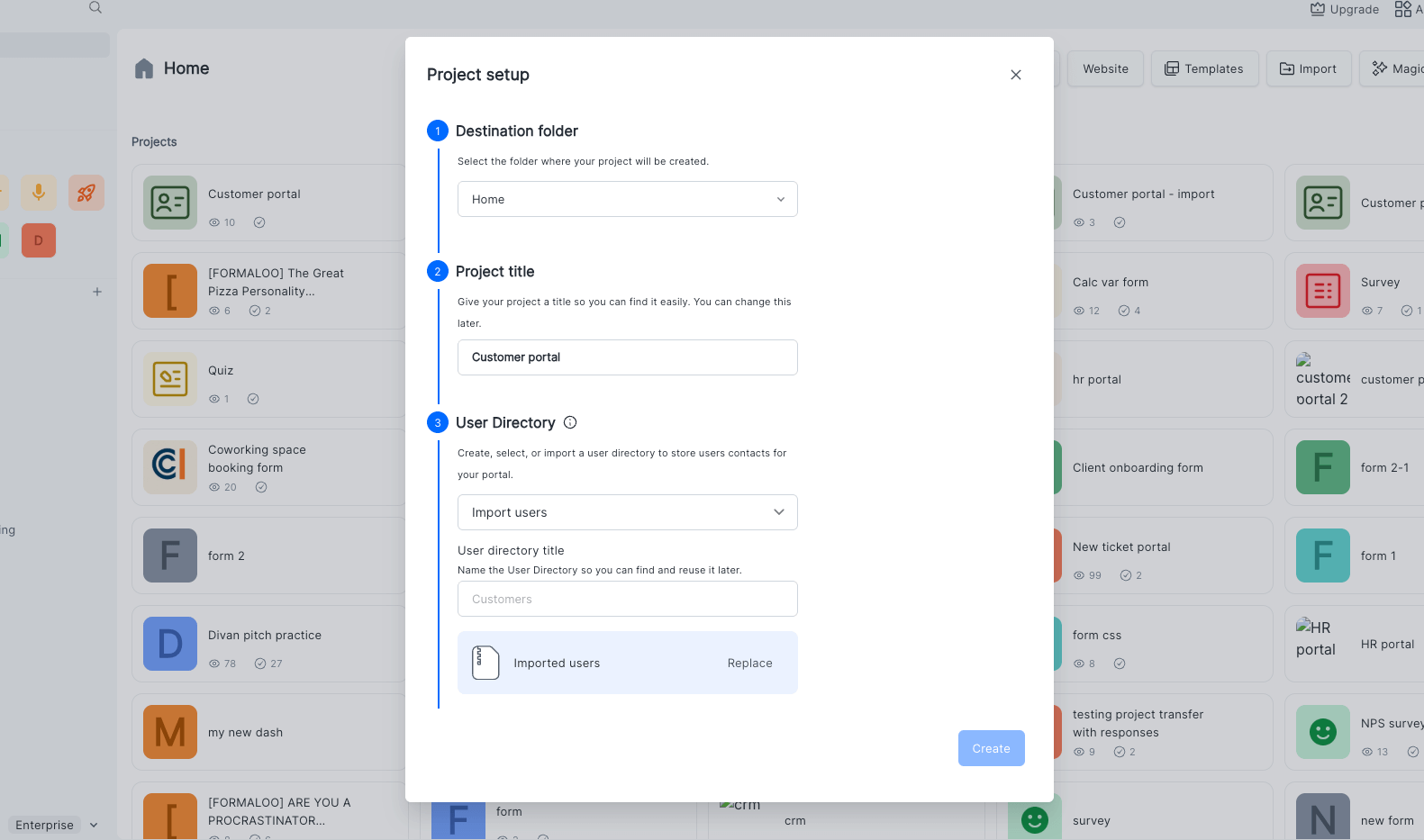
Creating a new project, whether from a template, the + New button, or by duplicating an existing one, now opens a focused configuration pop-up before anything is created.
The fields you see depend on the project format:
- Forms, surveys, quizzes, destination folder, title, and form type (Classic or 1QAT).
- Memoryforms , same as above, plus user directory selection and bulk user import.
- Portals, destination, title, user directory, and bulk import.
- Dashboards, destination and title.
Destination and form type are pre-filled based on where you started. For Memory forms and Portals, you can connect an existing user directory or create a new one on the spot, and optionally import users via Excel or a pasted email list, all in the same flow.
We also fixed the sign-up onboarding loop and the inconsistency that appeared when signing up directly from a template.
Data Blocks v2
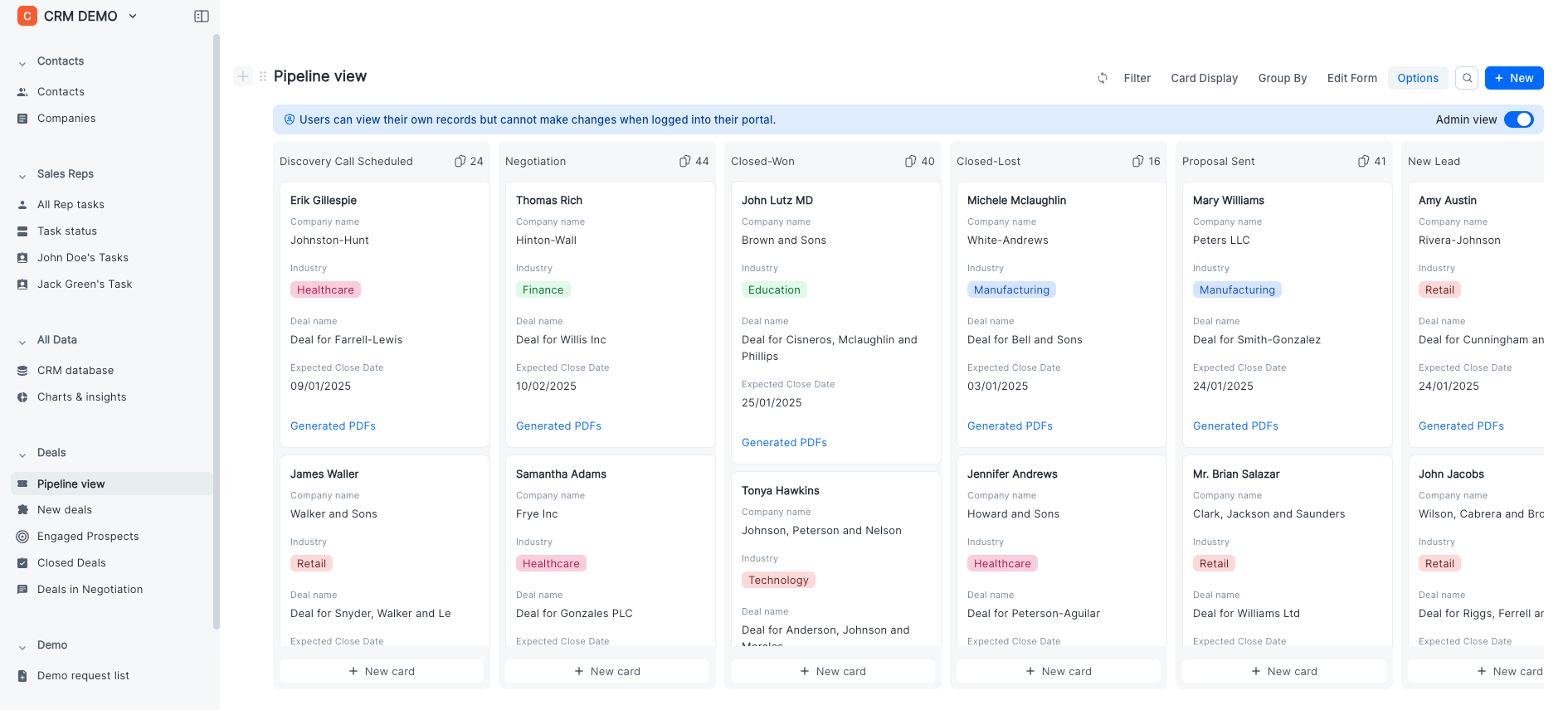
Data Blocks have been rebuilt under the hood. This update makes data blocks much faster & easier to work with, especially when you have big data.
The Kanban view in portal now correctly shows the uncategorized column, and folder-based row assignments work reliably across all folders.
Form fixes
- Answer piping in descriptions. You can now pipe previous answers into a form's description fields, not just question labels. Useful for building conversational, personalized flows.
- Signatures on dark themes. Signature fields are now visible when a form uses a dark background with light text.
- Mobile datetime picker. The time selector in date/time fields now opens and works correctly on mobile devices.
- Text variable piping. When a text variable is set via Logic, its value now pipes correctly throughout the form — not just captured silently in the response table.
- Formula variable display. Formula variable values now show correctly in the responses table instead of displaying as "–".
- reCAPTCHA for Enterprise. Enterprise workspaces can now enable reCAPTCHA on forms for bot and spam protection.
- File field translation. The placeholder text on file upload fields now correctly updates when translation or customization settings are changed.
- Ending page reliability. Content set in the Form Editor now displays correctly after submission. AI-powered ending pages (Formaloo AI and GPT) work as expected.
PDF & reporting fixes
- Tables in generated PDFs now preserve their color and styling.
- Date/time fields now show the correct value when used in PDF answer piping.
- Custom PDF templates now include a default padding, so content no longer runs to the edge.
- Chart display settings (layout, colors, etc.) now persist after a page refresh instead of resetting to defaults.
Other fixes
- The "Created at" filter no longer includes "Tomorrow" as an option, it never made sense there.
- The View button in the Share sidebar now reflects a form's updated URL immediately after it's changed.
- Drag-and-drop on the file upload field in the Edit Row sidebar now works correctly when logged into a portal.