Approval routing rules: how to set thresholds without gaps
Design approval routing rules with clear thresholds, risk overrides, completion policies, fallback owners, and boundary tests.
.png)
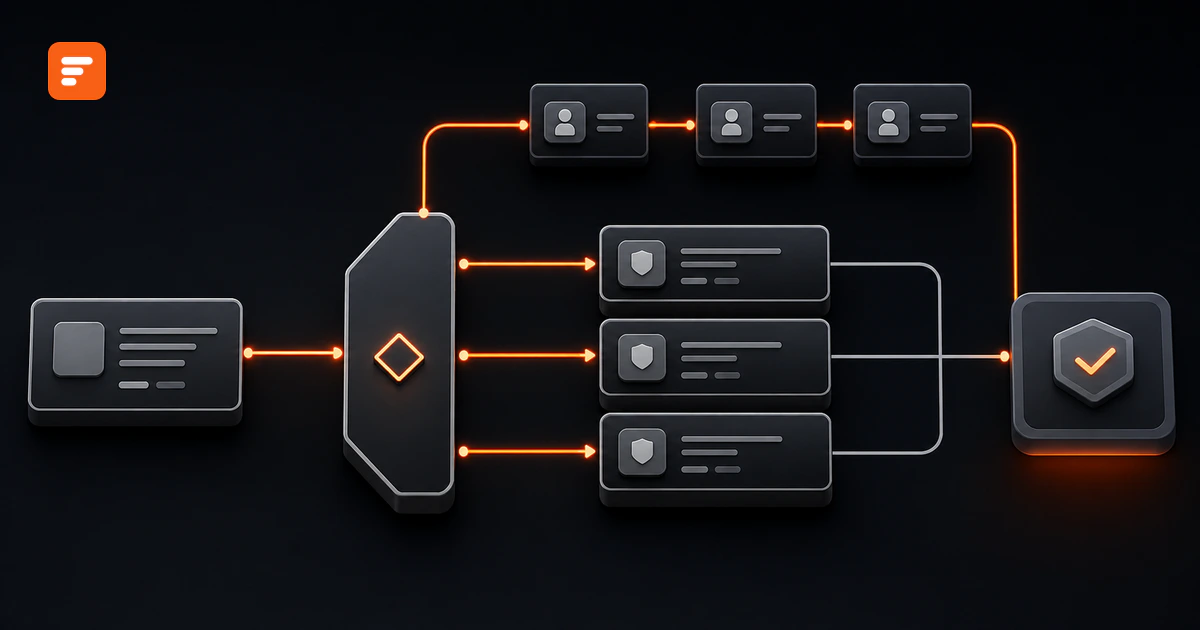
Approval routing rules turn policy into an executable decision path. Each rule should state which request facts trigger it, who has authority, which reviews must happen, and what the workflow does when nobody can complete the expected route.
Good routing rules send routine work to the lowest appropriate authority while reserving specialist and executive attention for decisions with more value, risk, or consequence. They also cover the awkward cases: exact threshold boundaries, missing owners, conflicting rules, changed evidence, rejected requests, and absent approvers.
Source review: August 11, 2026. The examples below illustrate workflow design. Your finance, legal, security, compliance, records, and process owners should set the actual approval conditions for your organization.
Every approval routing rule needs four parts
A rule is complete only when it answers four questions.
- Trigger: Which request facts make the rule apply? Common inputs include request type, amount, department, legal terms, data classification, geography, exception status, vendor risk, and evidence completeness.
- Authority: Which role, team, or named delegate may act? Connect authority to an approved policy or approval matrix, not to whoever happens to monitor the inbox.
- Route: Which reviews run, in what order, and under which completion policy? A route may use one approver, sequential stages, parallel specialist reviews, or a hybrid.
- Terminal outcome: What happens after approval, rejection, return, timeout, or routing failure? Name the next state, owner, notification, and downstream action.
That structure turns “send large purchases to finance” into a testable instruction. It also makes the rule readable to people who did not configure the workflow.
Evaluate routing conditions in a safe order
Rule order matters. A broad rule can capture a request before a more important exception ever runs. Evaluate conditions from disqualifying and risk-critical checks toward routine routing.
- Validate the request. Return incomplete records before starting an approval clock. Confirm the requester, request type, required evidence, currency, and ownership fields.
- Apply hard stops. Block self-approval, prohibited vendors, expired evidence, missing segregation of duties, or any condition that policy says cannot proceed.
- Apply risk overrides. Add legal, security, privacy, compliance, or executive review when the request crosses a nonfinancial risk condition.
- Apply value thresholds. Choose the financial authority band only after risk overlays have added their required reviewers.
- Select route architecture. Run independent reviews in parallel and dependent reviews in sequence. Define who must agree before the next stage starts.
- Set time and exception handling. Assign the initial owner, due date, delegation path, escalation route, and final action if nobody responds.
This order prevents a low-value request with sensitive data from bypassing security review just because it falls below a spending threshold.
Set threshold boundaries with one explicit convention
Threshold gaps usually hide at the boundary. If one rule says “under $5,000” and the next says “over $5,000,” a request for exactly $5,000 matches neither. If both rules include $5,000, the workflow may trigger two routes.
Choose one convention and use it everywhere. For example:
- Band A: Amount is less than or equal to $5,000.
- Band B: Amount is greater than $5,000 and less than or equal to $25,000.
- Band C: Amount is greater than $25,000.
The numbers are only examples. The design rule is what matters: each possible value must match one, and only one, financial band.
Normalize the value before evaluation. Define which currency, tax treatment, recurring commitment, contract term, and aggregate spend the threshold uses. A $4,000 monthly subscription can create a different commitment from a one-time $4,000 purchase. If requesters can split related purchases, add an aggregate-spend or duplicate-request check.
Amount should not be the only routing input
Financial thresholds answer who may commit funds. They do not capture every reason a decision needs expert review. Add risk rules that operate independently from the amount band.
- Data: Route requests involving personal, health, payment, confidential, or regulated data to the appropriate privacy or security reviewer.
- Contract: Add legal review for nonstandard terms, auto-renewal, indemnity, exclusivity, unusual liability, or long commitments.
- Access: Add IT or security review when a vendor needs privileged access, production connectivity, or broad permissions.
- Operational impact: Add continuity or change review when a decision affects critical systems, customers, facilities, or multiple business units.
- Exception: Route policy exceptions to the role that may accept the exception, even when the underlying request has low value.
Keep each override specific. “High risk” is hard to test. “Vendor will process customer contact data” gives the workflow a concrete condition and gives reviewers a clear reason for their involvement.
Define route architecture and completion policy separately
The route says who reviews and when. The completion policy says what counts as a decision. Do not hide both ideas inside one field called “approval.”
Use a sequential route when a later reviewer depends on an earlier output. Use parallel reviews when specialists can assess the same evidence independently. Use a hybrid route when the workflow can collect independent reviews together before a final authority acts. The sequential versus parallel approval guide shows how to choose among these patterns.
For every multi-person stage, define one completion policy:
- Any one approver may decide.
- Every approver must approve.
- A majority must approve.
- A named role must approve after specialist reviews finish.
Microsoft documents single-approver, majority, percentage, and all-approver completion policies in its current workflow guidance. It also separates assignment, conditions, time limits, and escalation. That separation provides a useful design check even when you implement the route in another system.
Write each rule as a versioned decision record
A diagram helps people understand the path, but a rule register makes the path testable and maintainable. Give every rule:
- A stable rule ID and short name.
- An owner and approving authority.
- An effective date and version.
- Input fields and normalization rules.
- The complete condition in plain language.
- The approver role or team.
- The route and completion policy.
- The expected result for approve, reject, return, timeout, and no-match cases.
- Test cases at, below, and above each boundary.
Record the rule version with each decision. That lets an authorized reviewer reconstruct why a request followed a route after the organization changes its thresholds or reporting lines. The approval workflow audit-trail guide explains the wider record that connects request, event history, and control context.
A software-purchase example shows how the rules combine
Consider a software request with these inputs: annual commitment, contract term, department, data classification, system access, standard-terms flag, and policy-exception flag.
- Validate: Return the request if the business owner, vendor quote, annual commitment, data classification, or contract is missing.
- Stop: Prevent the requester from approving their own purchase. Stop the route if the vendor appears on a prohibited list.
- Add risk reviews: Add security when the vendor receives system access. Add privacy when the vendor handles personal data. Add legal when the vendor rejects standard terms.
- Choose the value band: Route the illustrative Band A to the department manager, Band B to the budget owner, and Band C to finance plus the executive authority named in policy.
- Run independent work together: Let security, privacy, and legal review the same evidence in parallel when none depends on another's output.
- Finish in sequence: Send the completed specialist package to the final financial authority only after every required review has produced an acceptable outcome.
- Handle failure: Return incomplete evidence to the requester, assign absent approvers to an approved delegate, escalate overdue work, and route unmatched requests to the workflow owner instead of approving them automatically.
The last fallback matters. A no-match result usually signals missing data or an incomplete rule set. Treat it as an operational exception, not permission to continue.
Test the rule set before go-live
Test the route as a decision system, not as a happy-path form.
- Boundary tests: Submit values just below, exactly at, and just above every threshold.
- Combination tests: Pair each value band with each major risk override. Confirm that a low-value request can still trigger specialist review.
- Negative tests: Omit required evidence, use an unknown department, remove an approver, and create a self-approval conflict.
- Outcome tests: Approve, reject, request changes, withdraw, cancel, and resubmit changed evidence.
- Time tests: Confirm due dates, reminders, delegation, escalation, and the final timeout action.
- Mutation tests: Change a material field after one approval. Confirm that the affected decision reopens rather than silently carrying forward.
- Record tests: Confirm that the history shows which rule version, evidence, actors, times, reasons, and downstream actions produced the result.
Microsoft's current guidance explicitly includes condition testing and overdue escalation. Oracle defines approval rules as routing policies that determine approvers or information recipients and supports role, hierarchy, single-approver, and user-defined routing. Together, those primary sources reinforce the need to test both conditions and authority resolution.
Formaloo can turn the routing specification into a working workflow
Start with a request form that collects the exact routing inputs. Formaloo's current approval workflow guide uses request type, budget, supporting files, an internal status, and an assignee as the basis for review and routing.
In the form editor, open the settings panel on the right and use Advanced logic. Formaloo documents comparison operators for number and rating fields, including greater than, less than, and their inclusive variants. Use one boundary convention in those rules so the bands cannot overlap.
Use On submit for the first route and On update when a decision or status change should trigger the next assignment, notification, Slack message, webhook, or record update. Formaloo also documents a two-stage sequential approval pattern that updates the request at each stage and rejects the route if either approver declines.
If your workspace includes Assignee, rules can assign a request to a person or team based on submission details. Formaloo's current Help Center labels Assignee as an add-on and says it is available in Enterprise workspaces, so confirm availability and access controls for your deployment before you design around it.
A routing specification should remain understandable outside the builder. Keep the rule register, approval matrix, test pack, and audit requirements aligned with the configured logic.
Book a demo to design and deploy an enterprise approval workflow around your authority, risk, and exception rules.
Sources
- Formaloo: How to build an approval workflow
- Formaloo: How to add advanced logic to your form
- Formaloo: What is On submit logic and how it works
- Formaloo: What is On update logic and how it works
- Formaloo: How to assign submissions automatically
- Formaloo: How to build a dual-approval request workflow
- Microsoft Learn: Configure approval steps in a workflow
- Oracle: Approval rules
.webp)
.webp)

.jpg)