How to replace spreadsheet approvals with a governed workflow
Redesign email and spreadsheet approvals as one governed workflow with clear fields, routing rules, exception paths, test cases, and cutover criteria.
.png)

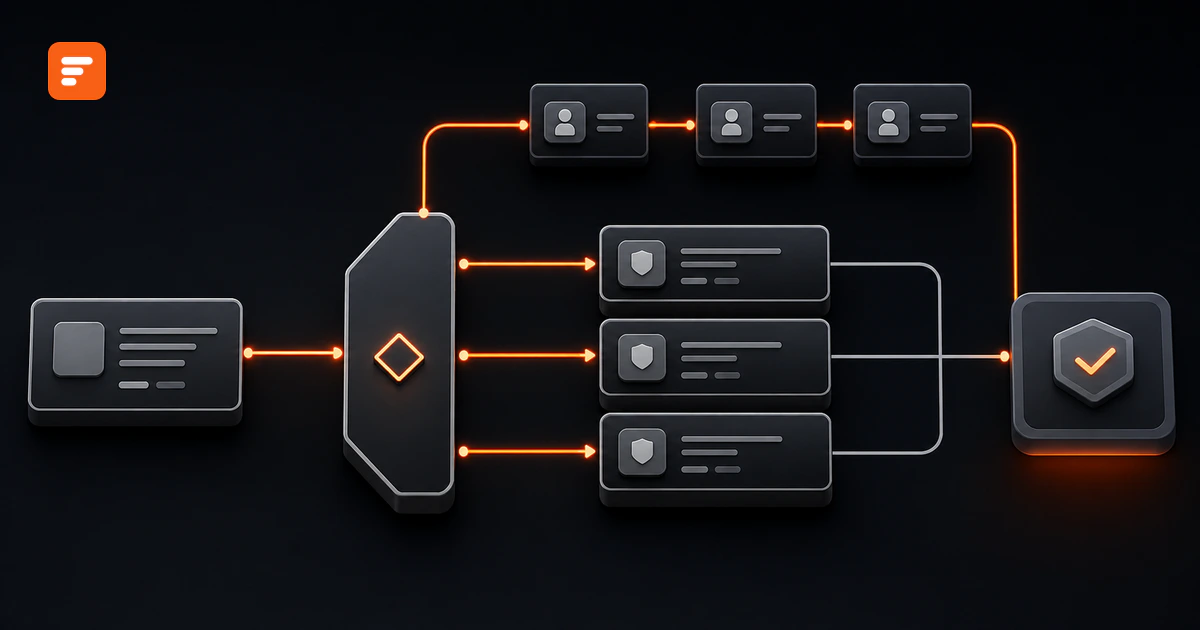
To replace spreadsheet approvals safely, redesign the work around one decision record. Give every request a structured intake, an accountable owner, explicit routing rules, controlled status changes, visible exceptions, and a tested cutover. Keep email as a notification channel, not the place where the final decision lives.
The spreadsheet is only the visible part. The real workflow also includes forwarded messages, copied attachments, unwritten threshold rules, and a coordinator who remembers what the columns mean. Moving the grid into a new tool without capturing those rules creates the same problem in a cleaner screen.
Source review: August 17, 2026. The purchase-request example below illustrates a workflow design method. It does not report Formaloo customer results.
Start by naming the three jobs hidden in the spreadsheet
Most spreadsheet-led approvals combine three jobs that should have distinct controls:
- Intake: Someone asks the organization to approve a purchase, hire, contract, access request, exception, or policy change.
- Decision: One or more reviewers inspect the evidence and approve, reject, or return the request.
- Operations: Someone assigns work, checks age, follows up, reports status, and starts the approved action.
Email often carries the intake and decision. The spreadsheet acts as an operations tracker. Neither artifact owns the full record, so people search two places to answer one question.
Write a plain statement for each job before selecting fields or software. For example: “Employees submit purchase requests. Managers and Finance decide according to amount and risk. Operations monitors open work and sends approved requests to procurement.” That sentence sets the boundary for the first release.
A purchase request shows where the old workflow breaks
Consider an illustrative purchase approval. An employee emails a request and attaches a quote. An operations coordinator copies the vendor, amount, department, and status into a spreadsheet. The coordinator forwards the message to a manager, then adds Finance when the amount appears to cross a threshold.
Reviewers reply with “approved,” questions, or a revised attachment. The coordinator updates the status cell and adds a note. Finance later asks which quote the manager reviewed. The spreadsheet shows “Approved,” but the decision context remains in a private message thread.
This workflow has five structural problems:
- The email subject supplies the request ID, if anyone remembers to preserve it.
- The spreadsheet and inbox can show different status values.
- The amount threshold depends on the coordinator's memory.
- A reviewer can approve an older attachment without noticing a replacement.
- Open requests depend on manual follow-up and personal availability.
The redesign must remove those dependencies, not just reproduce the spreadsheet columns.
Step 1: map every artifact to a field, rule, view, notification, or retired step
Inventory the current workflow with actual examples. Sample normal requests, rejections, incomplete requests, threshold cases, and one request that stalled. For each artifact, ask what job it performs.
- Spreadsheet column: Decide whether it holds source data, a calculated value, a workflow status, an owner, or a note.
- Email message: Decide whether it submits data, requests action, records a decision, asks for changes, or confirms an outcome.
- Attachment: Identify its type, owner, version, and whether a later version invalidates an earlier decision.
- Formula or color: Translate it into a named business rule. “Red row” must become something testable, such as “due date passed while status remains In review.”
- Coordinator action: Decide whether a rule should execute it, an owner should keep it, or the new workflow should remove it.
Do not treat every current step as a requirement. Some steps exist only because the old tools do not share state. A weekly email asking everyone for status should disappear once the workflow provides a trusted open-items view.
Step 2: create one decision record
Build one request record that carries the facts, ownership, decision state, and evidence references throughout the workflow. For the purchase example, start with these field groups:
Request fields
- Request ID, requester, department, submitted time, request type, business reason, vendor, amount, currency, and required date.
- Quote or contract reference, evidence version, data-access indicator, and risk questions that affect routing.
Workflow fields
- Current status, current owner, route version, due date, escalation state, and last material update.
- Manager decision, Finance decision, exception reason, final outcome, and downstream handoff state.
Evidence fields
- Reviewer identity, reviewer role, decision time, comments, evidence version reviewed, and the rule that required the review.
Use a stable ID to connect messages, files, events, and reports. Separate the current state from the chronological evidence. A status of “Approved” tells operators where the request ended. The event record explains how it got there. The approval audit-trail guide provides a fuller evidence checklist.
Step 3: convert inbox conventions into explicit routing rules
Write each route as inputs, conditions, owner, deadline, outcome, and fallback. Avoid vague rules such as “send large purchases to Finance.” Define the boundary and test both sides.
The illustrative purchase workflow might use these rules:
- Every valid request starts with the requester's manager.
- Requests below $10,000 move to Approved after manager approval unless a risk condition applies.
- Requests of $10,000 or more add Finance after manager approval.
- Any vendor that will access customer data adds a security review, regardless of amount.
- A missing department, owner, or amount sends the request to Needs information instead of guessing a route.
Choose one boundary convention and apply it everywhere. Then run values at $9,999.99, $10,000, and $10,000.01. The approval matrix template helps define authority, while the routing-rules guide covers gaps, overlaps, overrides, and fallback routes.
Step 4: keep email useful without making it the record
Email still works well as an action prompt. Send a concise message when someone receives a request, when the requester must add information, and when the workflow reaches a final outcome.
Every action message should include the request ID, the required action, the due date, enough context to identify the request, and a link to the authoritative record. Keep the decision and comments in that record. A reply such as “approved” should not outrank the workflow state.
Microsoft's current approval workflow tutorial uses the same separation: the flow emails the approver, notifies the requester, and writes decision comments back to the structured SharePoint record. The exact tools can vary. The operating rule stays the same.
Step 5: design the exception paths before launch
The happy path rarely causes the most expensive confusion. Model the cases that currently trigger manual spreadsheet edits or forwarded email chains.
- Missing information: Return the request with a named question and preserve prior review activity.
- Material evidence change: Record the new version and reopen every decision that depended on the old evidence.
- Unavailable reviewer: Reassign or delegate through a defined rule, with a reason and effective period.
- Rejection: Require a reason, notify the requester, and state whether resubmission creates a new request or a new version.
- Withdrawal: Stop pending actions and preserve the request history.
- Override: Restrict authority, require a reason, set an expiry when relevant, and make the exception visible in reporting.
If administrators must edit records quietly to keep work moving, the exception design has failed.
Step 6: move open requests without creating two authorities
Do not ask people to approve the same live request in both the old and new systems. That creates conflicting decisions and doubles reconciliation work.
Use three migration groups instead:
- Closed history: Preserve the original spreadsheet and related evidence under the organization's retention and access rules. GOV.UK's spreadsheet guidance recommends clear versioning for business-critical sheets so teams can track changes, audit, and archive them.
- Open requests: Assign each item one new request ID, copy the minimum required fields, attach or reference the current evidence, record the migration time, and name the current owner. Mark the old row as migrated and read-only.
- New requests: Accept them only through the new intake after the cutover timestamp.
Before cutover, run copied historical cases through the new rules as shadow tests. Compare routes and outcomes, but do not treat those test decisions as live authority. This gives the team evidence without creating two valid records.
Step 7: prove the new workflow can replace the old one
Use a small test pack that covers behavior, evidence, and operations. A demo that shows only one successful approval cannot support a safe launch.
- Submit a complete request below the threshold.
- Submit values immediately below, at, and above the threshold.
- Trigger the risk override.
- Submit an incomplete request and verify the Needs information route.
- Replace a material attachment after the first review.
- Make the assigned reviewer unavailable.
- Reject, resubmit, withdraw, and reopen cases according to policy.
- Ask an operator to find every open, overdue, unassigned, and exception request without checking email.
Set launch criteria before testing. For example: every case selects the expected route, every material action records an actor and time, notifications point to the right record, open-item totals reconcile, and a backup operator can run the queue without help from the builder.
Use the approval workflow metrics guide to define the first operational scorecard. Use the 12-test software checklist if the migration also includes a platform evaluation.
The redesigned purchase workflow has one clear path
After the teardown, the employee submits one purchase request with the required fields and current quote. The workflow assigns the manager and records the applicable route. Amount and risk rules add Finance or security when required. Each reviewer acts on the same request and evidence version.
The requester receives status messages with the request ID and a link. Operations works from current views of unassigned, pending, overdue, and exception items. When the final required reviewer approves, the record captures the outcome and starts the documented downstream handoff.
The spreadsheet remains available only as a controlled historical artifact. It no longer receives new rows or status updates. The inbox delivers prompts, but it no longer decides which state counts.
Build the governed workflow in Formaloo
Formaloo's current approval workflow guide shows how to create structured intake with a Form, keep status and Assignee fields admin-only, route by request data with Advanced logic, send requester messages on submission or status change, and test the workflow end to end.
The current assignment guide adds one important implementation detail: assignment places the form submission on the assignee's Activity page, but it does not send an email by itself. Add a separate Send email rule when the assignee also needs an inbox prompt.
Operations teams can then display form submissions in Table or Kanban Data Blocks, create focused views for current work, and keep the request record connected to its status and owner. Start with one workflow, prove the route and cutover, then expand only after the team trusts the record.
If you want to redesign and deploy an enterprise approval workflow around your actual rules, Book a demo.
Sources
- Formaloo Help Center: How to build an approval workflow in Formaloo
- Formaloo Help Center: How to assign form submissions
- Formaloo Help Center: How to create and send custom email templates
- Formaloo Help Center: How to organize form submissions with Data Blocks
- Microsoft Learn: Create and test an approval workflow with Power Automate
- GOV.UK: Creating and sharing spreadsheets