Approval escalation rules for stalled requests
Design approval escalation rules that target the blocker, change accountability, suppress duplicate alerts, and preserve a useful event record.
.png)

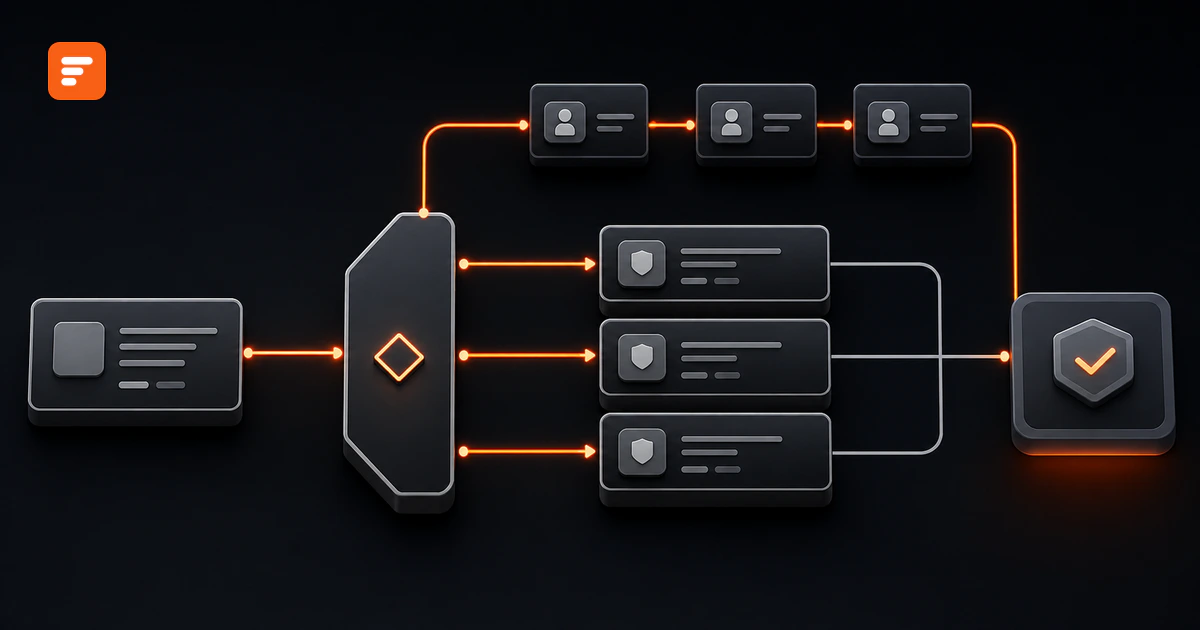
An approval escalation rule should define five things: which requests qualify, when the clock starts, who receives one reminder, when accountability changes, and where the request goes if nobody acts. A reminder asks the current owner to act. An escalation changes the owner, authority, or management visibility.
If your rule only sends the same message more often, it does not escalate the work. It creates notification noise around the same stalled request.
A useful escalation rule changes the operating state
Start by separating three actions that teams often mix together:
- Reminder: keep the current owner and ask for action before or at the deadline.
- Reassignment: transfer the decision to a named delegate or backup who can act.
- Management escalation: involve a workflow owner or manager who can resolve missing authority, capacity, or policy.
These actions solve different problems. A reminder can recover a request that someone overlooked. Reassignment handles absence or workload. Management escalation handles a blocked decision that needs more authority.
Enterprise systems reflect this distinction. SAP documents a warning period followed by escalation to a supervisor. Oracle documents reminder counts, timeout escalation, delegation, and deadlock handling as separate controls. Their default settings should not become your policy automatically, but their structures reveal the right design question: what must change after the current owner misses the deadline?
Define the escalation contract before choosing timings
A complete escalation contract answers five questions for each approval stage.
- Eligible state: Which status means the request waits for an approver? Exclude drafts, completed decisions, cancelled requests, and records waiting on the requester.
- Clock: Which event starts the clock? Define business hours, holidays, pause conditions, reset events, and the exact deadline.
- Reminder: Who owns the next action, when do they receive one reminder, and what context lets them decide?
- Accountability change: At which threshold does a delegate, backup, manager, or workflow owner gain the action?
- Terminal path: What happens if the final target cannot decide? Choose an exception queue, a policy owner, cancellation, or another explicit outcome.
Write these parts as one testable rule. For example: “When a standard software purchase remains Pending IT review for two business days, send one reminder to the IT approver. If it remains pending at the deadline, assign the backup approver and notify the workflow owner. After one more business day, move the request to the Procurement exception queue.”
The numbers in that example illustrate the structure. Your team should set each interval from risk, service commitments, decision effort, and real approver capacity.
Run the clock only while one named owner can act
A single “age since submission” field cannot represent a multi-stage approval. The request may spend one day with Finance, two days waiting for the requester to add a document, and another day with Legal. Only the time inside the active approval stage should count against that approver.
Use a stage clock with four controls:
- Start: set
stage_started_atwhen a named owner receives an actionable request. - Pause: stop the clock when the request needs requester information, a dependency, or a policy clarification.
- Reset: start a new clock when the stage or accountable owner changes.
- Stop: close the clock when the owner approves, rejects, returns, or cancels the request.
This rule prevents a common failure: escalating an approver for time that another person consumed. It also gives your approval workflow metrics a defensible start and stop point.
Use a four-step ladder that limits message volume
A practical escalation ladder moves from attention to accountability. Each level should fire once.
Step 1: send an assignment notice
Tell the owner what needs a decision, when it is due, why they own it, and where to act. Include the request ID, requester, decision fields, due time, and direct record link. Do not make them search another inbox for context.
Step 2: remind the current owner
Send one targeted reminder only while the request remains actionable and incomplete. Do not copy senior leaders “for visibility” at this stage. The owner still has both authority and time.
Adjacent research supports this targeting principle. A Microsoft study of overdue pull requests detected inactivity, identified the blocking actor, and nudged that actor. The study concerns software reviews rather than business approvals, so it does not prove your expected result. It does show why activity checks and precise recipients beat indiscriminate reminders.
Step 3: change accountability at the deadline
At the SLA boundary, reassign the request to a named delegate or add a workflow owner who can remove the block. State whether the original approver keeps or loses decision rights. A shared “management team” mailbox does not create accountability unless one person takes ownership.
Step 4: move unresolved work to an exception path
Do not continue the reminder loop forever. A final unresolved request needs a controlled outcome. Route it to an exception queue, require the workflow owner to intervene, return it to the requester, or cancel it under a written policy.
Suppress duplicate and irrelevant notifications
Notification control belongs inside the rule, not inside email preferences. Apply these gates before every send:
- Confirm the request still has the eligible pending status.
- Confirm the active owner can act and the clock is not paused.
- Confirm this escalation level has not already fired.
- Confirm the stage and owner still match the event that scheduled the check.
- Send to the smallest audience that can move the decision.
- Cancel future events after approval, rejection, return, cancellation, or reassignment.
Store an escalation level or last-event key on the request. A rule such as request_id + stage + owner + escalation_level gives each intended event a unique identity. If the same check runs twice, the second run should find the stored key and send nothing.
Worked example: a stalled software purchase request
Consider a standard software purchase that needs IT review before Procurement can continue.
- Eligible state: Pending IT review.
- Owner: named IT approver.
- Clock: two business days from assignment; pause while the requester supplies security or integration details.
- Reminder: one message to the IT approver after 75% of the stage window.
- Deadline action: assign the registered IT delegate and notify the workflow owner.
- Final action: after one additional business day, place the request in the Procurement exception queue for a named owner.
The reminder contains the decision deadline and missing decision fields. The deadline event records the previous owner, new owner, reason, timestamp, and escalation level. If the requester adds missing information during a pause, the workflow resumes with a new stage deadline instead of pretending the old deadline still applies.
Compare this structure with the approval routing rules that choose the first approver. Routing answers “who owns this now?” Escalation answers “what changes if that owner cannot finish in time?”
Record enough data to explain every escalation
The workflow needs more than a due date. Store these fields on the request or its event history:
- Request ID and current stage.
- Current status, owner, and delegated owner.
- Stage start, due time, and time basis.
- Pause state, pause reason, and resume time.
- Current escalation level and last notification time.
- Previous owner, new owner, escalation reason, and actor.
- Decision, decision time, and closing comments.
This record supports duplicate suppression, operational review, and an approval workflow audit trail. It also lets you distinguish “the approver missed the deadline” from “the workflow waited on missing information.”
Formaloo can handle the event-driven parts of the design
In Formaloo, start with one Form that stores the request, status, due date, escalation level, and reviewer-only fields. Use an Assignee field for the accountable person or team. Add Advanced logic rules to assign a request and send the initial message when someone submits or updates the record.
Formaloo's current assignment guide documents one important detail: assigning a form submission does not send an email by itself. Add a separate Send email rule when the assignee needs an inbox notification.
Use On update logic when someone changes the status, owner, priority, or escalation level. A matching rule can send an email, reassign the record, notify Slack, or call a webhook. The approval workflow guide also documents status-change emails and Table or Kanban views for pending work.
Current Help Center sources do not document a native elapsed-time trigger for this use case. Do not represent On update as a timer. For time-based escalation, either run a controlled review of overdue records and update the escalation level, or use an approved scheduled service that checks the due time and writes the next level back to the record. That field update can then trigger the verified On update actions.
Formaloo's current assignment guide places the Assignee, Status, Due date, and Activity page features on Enterprise or a paid add-on. Confirm the setup with your workspace owner before you make those features part of the operating plan.
Test the escalation ladder before launch
Run at least these eight cases with safe test records:
- The approver decides before the reminder. No reminder or escalation fires.
- The reminder threshold passes. The owner receives one message.
- The same check runs twice. The duplicate event sends nothing.
- The request pauses for missing information. The clock stops.
- The requester supplies the information. The stage resumes with the documented clock rule.
- The deadline passes. Accountability changes to the correct delegate or owner.
- The original owner acts after reassignment. The workflow applies the written decision-rights rule.
- The final target cannot act. The request enters the named exception path instead of another reminder loop.
Keep the evidence from each test: expected event, actual recipient, actual owner, status, timestamp, and message count. The enterprise requirements checklist shows how to frame each case as a trigger, expected result, and evidence artifact.
Measure movement and message cost together
Track overdue rate, reminder recovery rate, escalation rate, time from escalation to decision, and exception-queue volume. Add one counter that many teams miss: notifications per completed approval.
A faster workflow that sends five messages for every routine decision may shift work rather than remove it. Review the metrics by stage, risk class, and owner group. If one stage escalates often, investigate authority, workload, request quality, and the SLA before adding another reminder.
Write the rule before you automate it
A defensible approval escalation rule targets the person who can act, fires each level once, changes accountability at a defined boundary, preserves the event record, and ends in a controlled exception path. Timings matter, but state and ownership make the rule work.
If you need to turn approval policy into routed forms, assigned records, update rules, and operational views, Book a demo.
Sources
- Formaloo Help Center: How to build an approval workflow in Formaloo
- Formaloo Help Center: How to automatically assign submissions
- Formaloo Help Center: What is On update logic and how it works
- Formaloo Help Center: What is the Activity page and how to use it
- SAP Help: Approval escalations
- Oracle: Policy reminders and escalations
- Microsoft Research: Nudge: Accelerating overdue pull requests towards completion
Source review date: August 18, 2026.